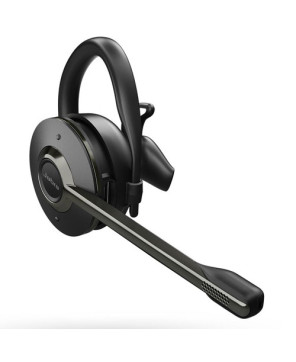
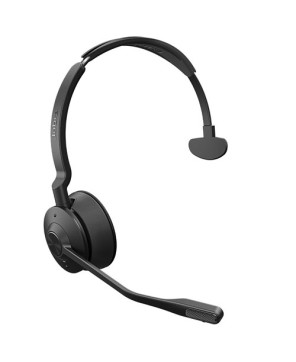
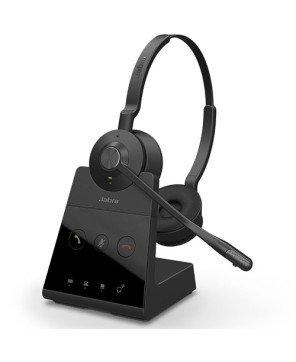
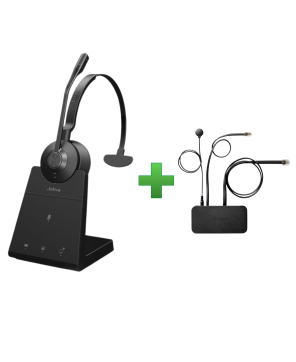
The Jabra Engage 65 SE Convertible DECT Wireless USB-C/A Headset (9655-553-117) delivers exceptional call clarity, secure DECT connectivity, and flexible wearing styles for all-day comfort.
The Jabra Engage 65 SE Convertible DECT Wireless USB-C/A Headset (9655-553-117) delivers exceptional call clarity, secure DECT connectivity, and flexible wearing styles for all-day comfort. Designed for professional environments, it features an advanced noise-canceling microphone, up to 150 meters of wireless range, and up to 13 hours of talk time. With dual USB-A and USB-C compatibility, it ensures seamless integration with desk phones and computers—perfect for call centres, offices, and hybrid work setups demanding reliable and superior communication.
Works with: Desk Phone, PC/Mac
How does it connect: USB-C, USB-A
Please check compatibility of the headset with your device prior to purchase: Headset Compatibilty Checkers.
Brand New - A brand-new, unused, unopened, undamaged item in its original packaging.
This item comes with a 24-month manufacturer's warranty.
Only Engage 65 models will connect to each other, only Engage 75 models will connect to each other. You cannot mix and match connecting models.
How do I use the conference call mode with my Jabra Engage 65?
You can set up a conference call with the Jabra Engage 65 by pairing up to three additional headsets with the same base. You can pair a headset “over the air” or dock it in the base. If you dock a headset in the base, the headset must have the same docking interface as the base. For example, a Jabra Engage mono headset and a Jabra Engage mono or stereo base.
1. Add headset(s) using base docking
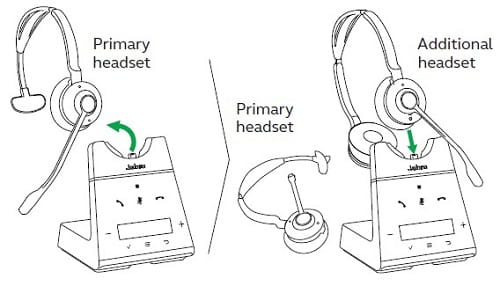
2. Add headset(s) using base docking
End or leave a conference call
To end the call for all headsets, press the Call button on the primary headset, or dock the primary headset in the base. Additional headsets can leave the conference by pressing the Call button on the headset, or by docking the additional headset in the primary headset base (not the additional headset base). The conference call will continue for all other headsets.
Permanent conference mode
By default, the conference will end automatically for all additional headsets when the call ends. To continue the conference with the additional headsets until the primary headset is docked, change this specific setting in Jabra Direct.
Using the Jabra Engage 65 Headset
Do you have a question about this product? Please call 1800 90 90 99.

The Jabra Engage 65 SE Convertible DECT Wireless USB-C/A Headset (9655-553-117) delivers exceptional call clarity, secure DECT connectivity, and flexible wearing styles for all-day comfort.


The Jabra Engage 65 SE Convertible DECT Wireless USB-C/A Headset (9655-553-117) delivers exceptional call clarity, secure DECT connectivity, and flexible wearing styles for all-day comfort.